







How to Transfer Progress from GTA Online Legacy to Enhanced on PC?
March 25, 2025
 3124
3124 0
0Important! When transferring, previously earned achievements are duplicated. So, if you want to unlock them from scratch, you need to create a new character through Career Builder.
Transferring your GTA Online progress to the updated version on PC can be done in just a few clicks. But first, we strongly recommend to review some key aspects of the process. The most important thing: this can be done only once and in one direction only.
- Launch Grand Theft Auto V Enhanced.
- Press Enter on the GTA Online tab.
- Wait for the video to finish (it cannot be skipped or turned off).
- Press Migrate (your nickname will be shown in brackets) Enter.
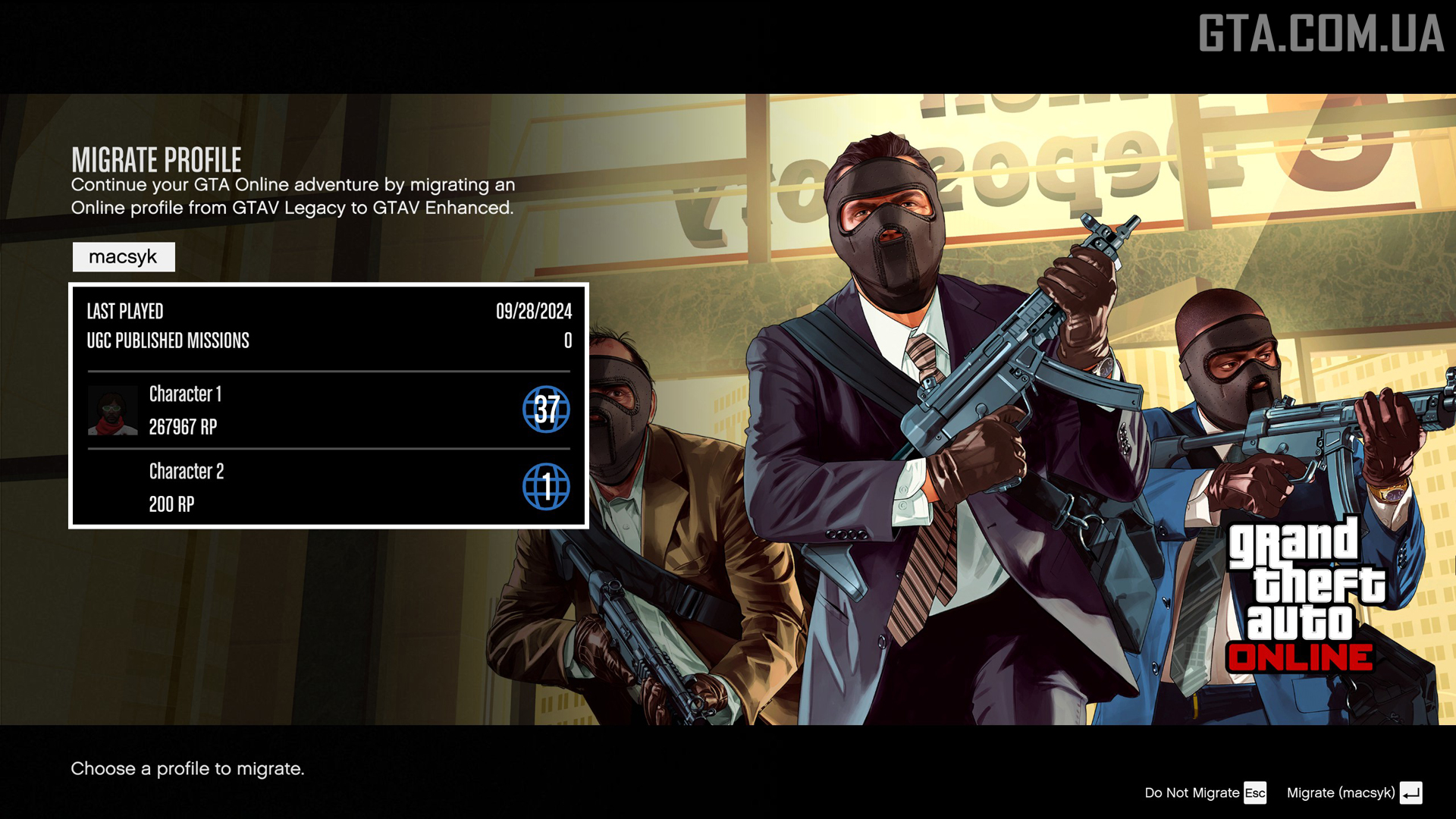
- Confirm the action by pressing Enter again.
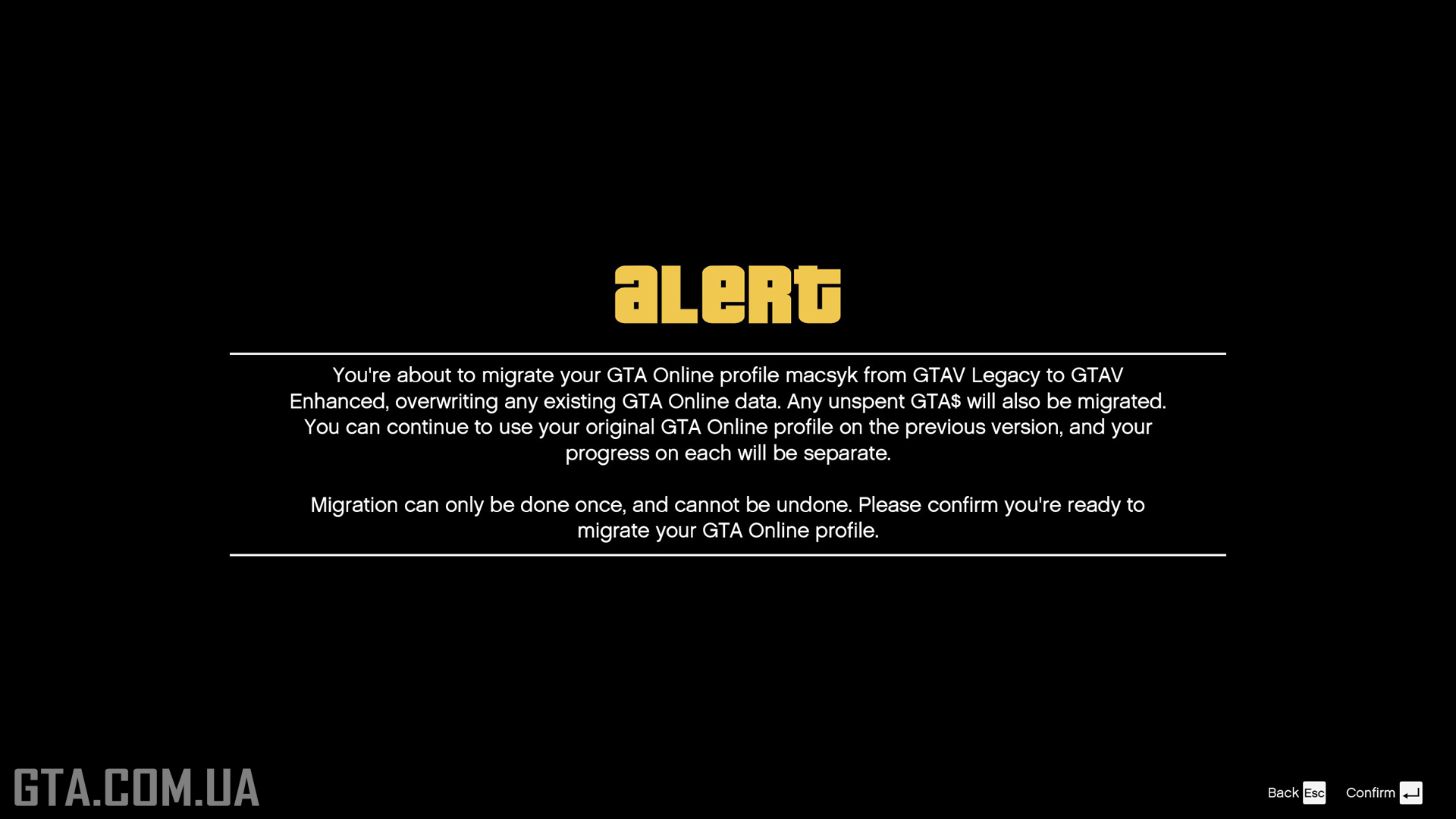
- In the success confirmation window, press Enter again.
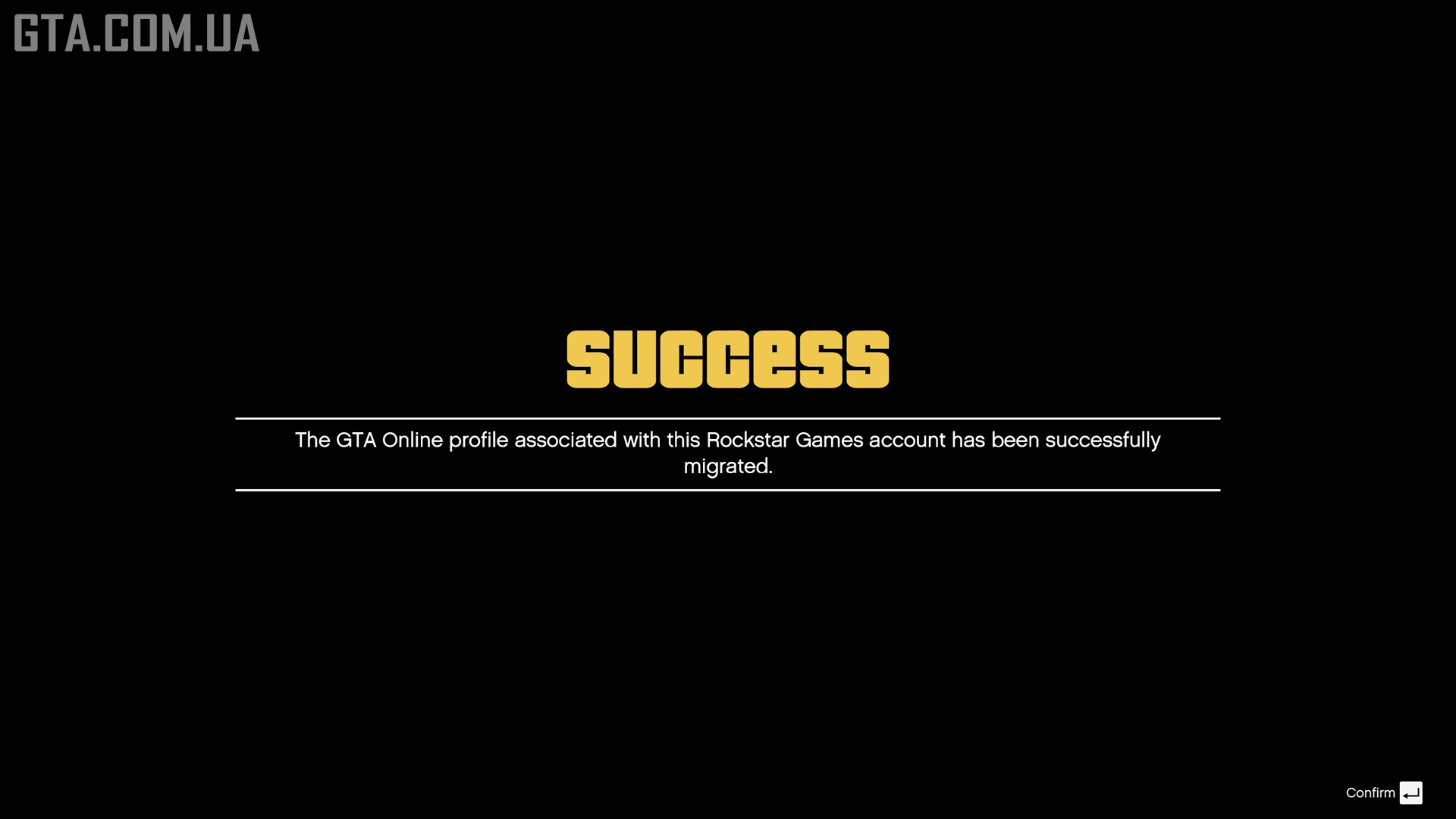
- Select the character whose progress you want to transfer. If you have only one, the second will appear as a fresh start with 200 RP (choosing it effectively means beginning anew).
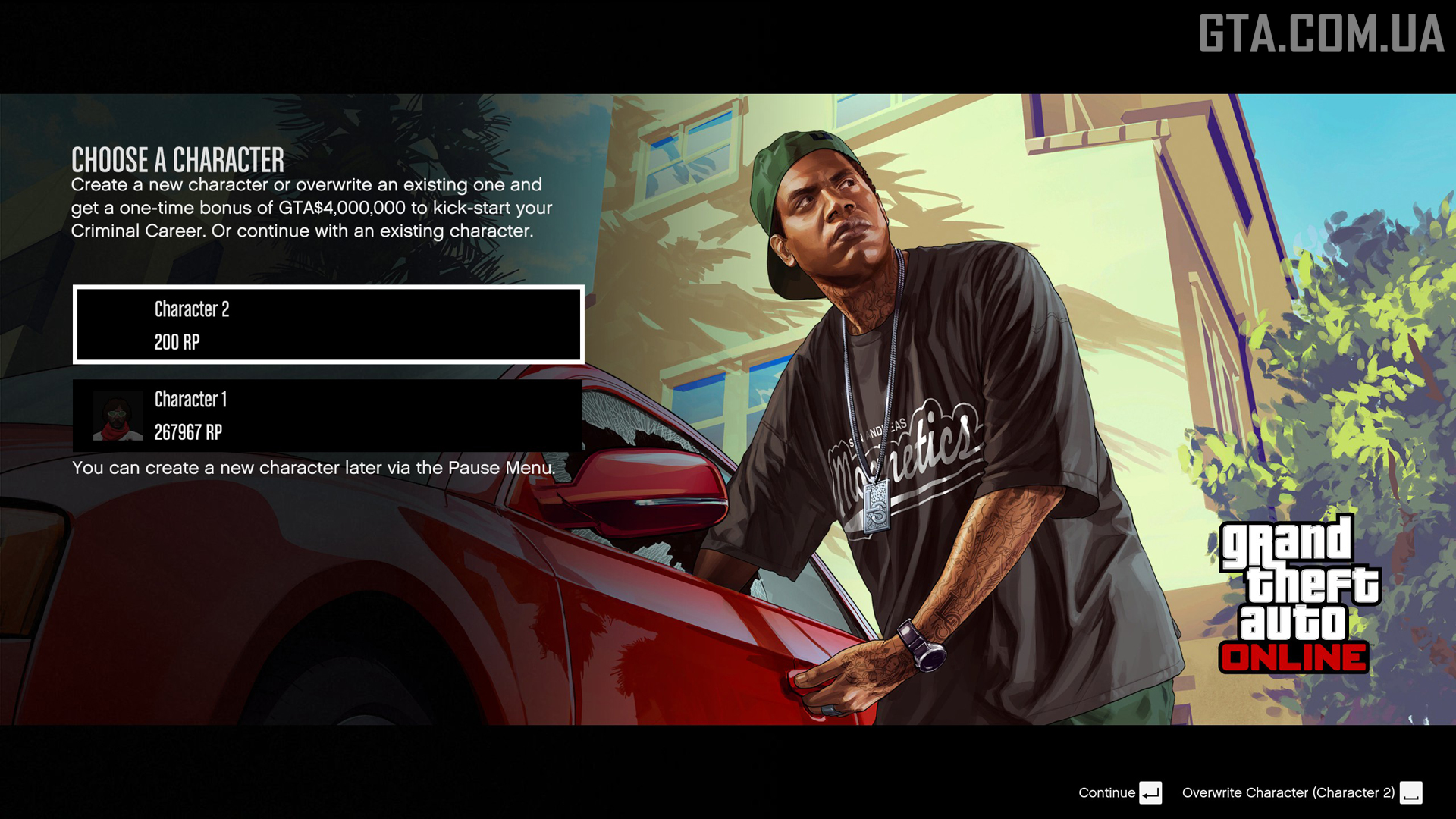
- Enter Online.
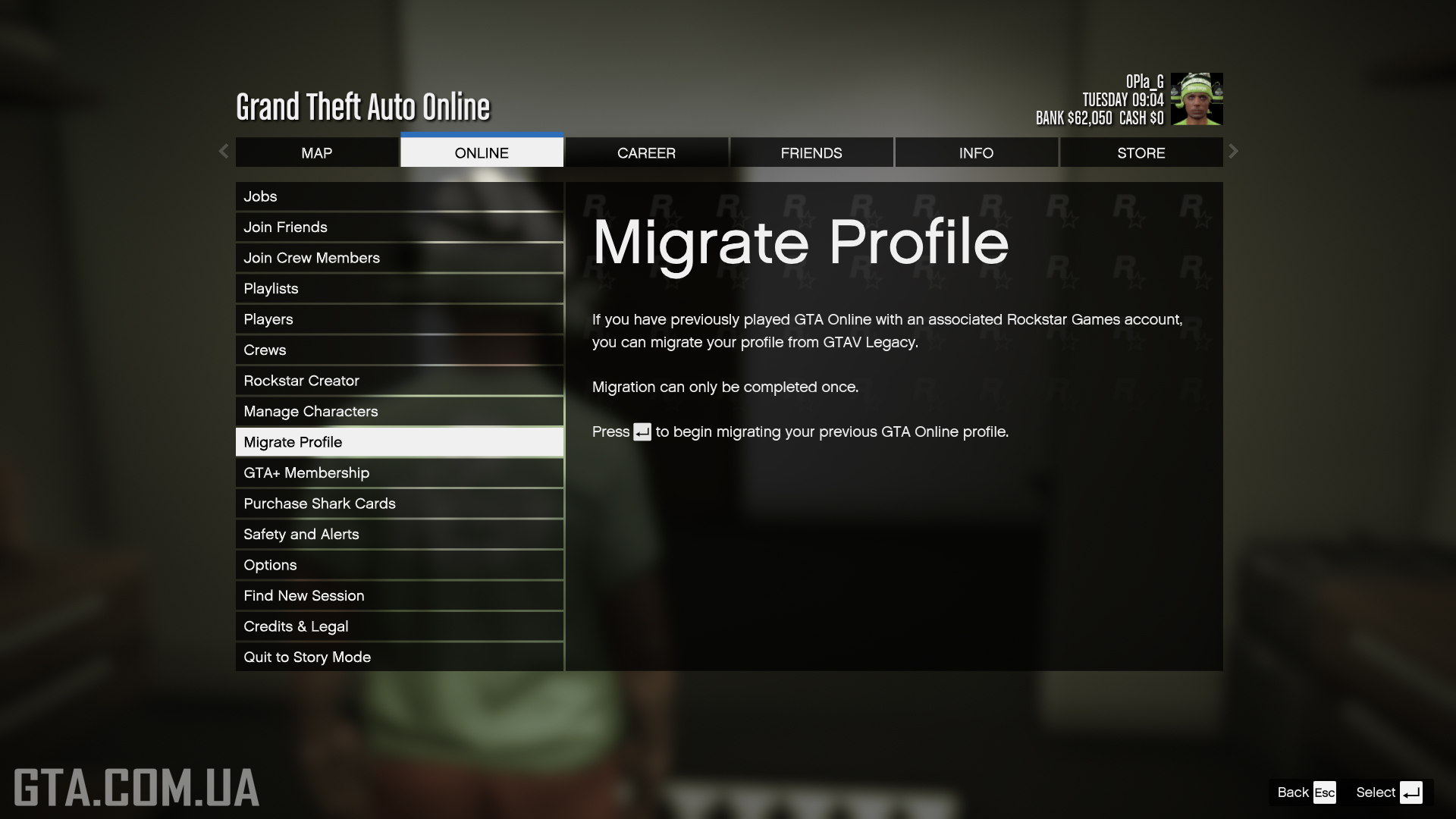
- Open the Pause Menu (Esc key).
- Navigate to the Online tab.
- Click on Transfer Profile.
- Press Enter.
Important! Further progress DOES NOT sync between the two versions of the game.